 Disjoncto


Check and file
Documents
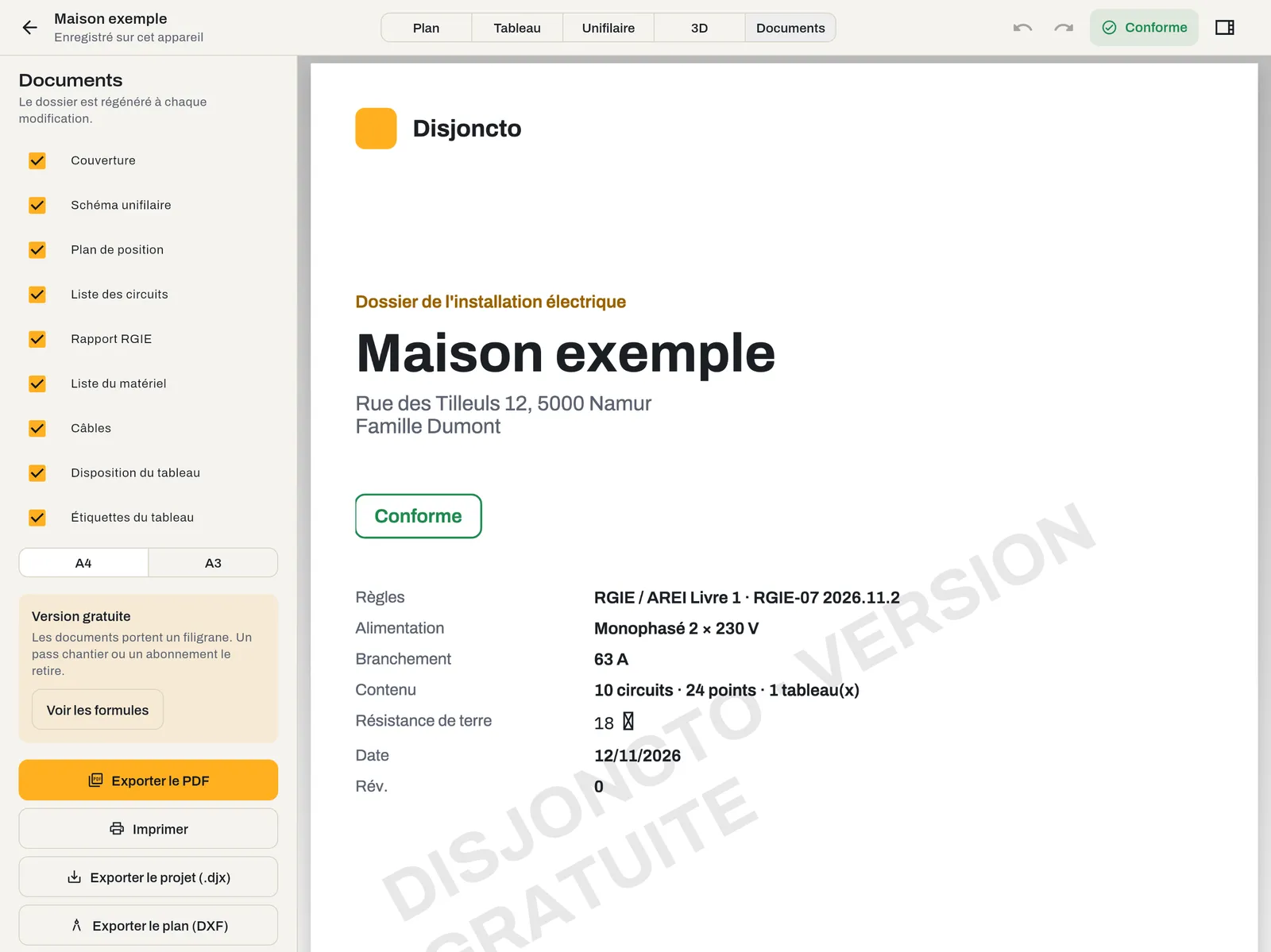
Documents mode (key 5) assembles the installation file. It is regenerated after every change.
The sheets#
Tick the sheets to include; the preview updates.
| Sheet | Contents | Orientation |
|---|---|---|
| Cover | Project, address, client, compliance status, rule set, supply, supply rating, number of circuits, points and boards, earth resistance, date, revision, QR code | Portrait |
| Single-line diagram | One diagram per board, with title block | Landscape |
| Layout plan | One plan per level with symbols, circuit references and a legend of the symbols used | Landscape |
| Circuit list | Reference, description, rooms, points, protection, RCD, cable, length, voltage drop, phase | Landscape |
| RGIE report | All remarks with their article, and the rules checked | Portrait |
| Material list | Enclosure, modules and points by type, with quantities | Portrait |
| Cables | Lengths by type and cross-section, 10% allowance included; “to order” column rounded up to 100 m | Portrait |
| Board layout | The rows and modules of each board | Landscape |
| Board labels | Strips to cut out, 17.5 mm per module | Landscape |
A4 or A3 format#
The A4 / A3 selector changes the format of all sheets. Plan sheets carry a title block: project, address, client, installer, sheet, date and revision. The footer shows the rule set and the page numbering. Entering the installer's details and logo is coming soon; until then, the Installer field stays empty.
QR code#
The cover carries a “Verify this file” QR code that encodes the project identifier and its revision. The corresponding online verification page is coming soon.
Free version watermark#
In the free version, all sheets are generated and exportable, with the watermark “DISJONCTO · FREE VERSION”. A site pass or a subscription removes it. See Plans and licences.
Export#
- Export PDF: downloads “project-name-RGIE-file.pdf”.
- Print: opens the system print dialog.
- Export project (.djx): the complete project, including imported plans, to archive it or open it on another device.
- Export plan (DXF): the displayed level, in DXF R12 format in millimetres, with the layers MURS, PIECES, OUVERTURES, POINTS, CIRCUITS and TEXTES, for CAD software.
Everything works offline: the PDF is produced on the device.