 Disjoncto


Electrical
Board
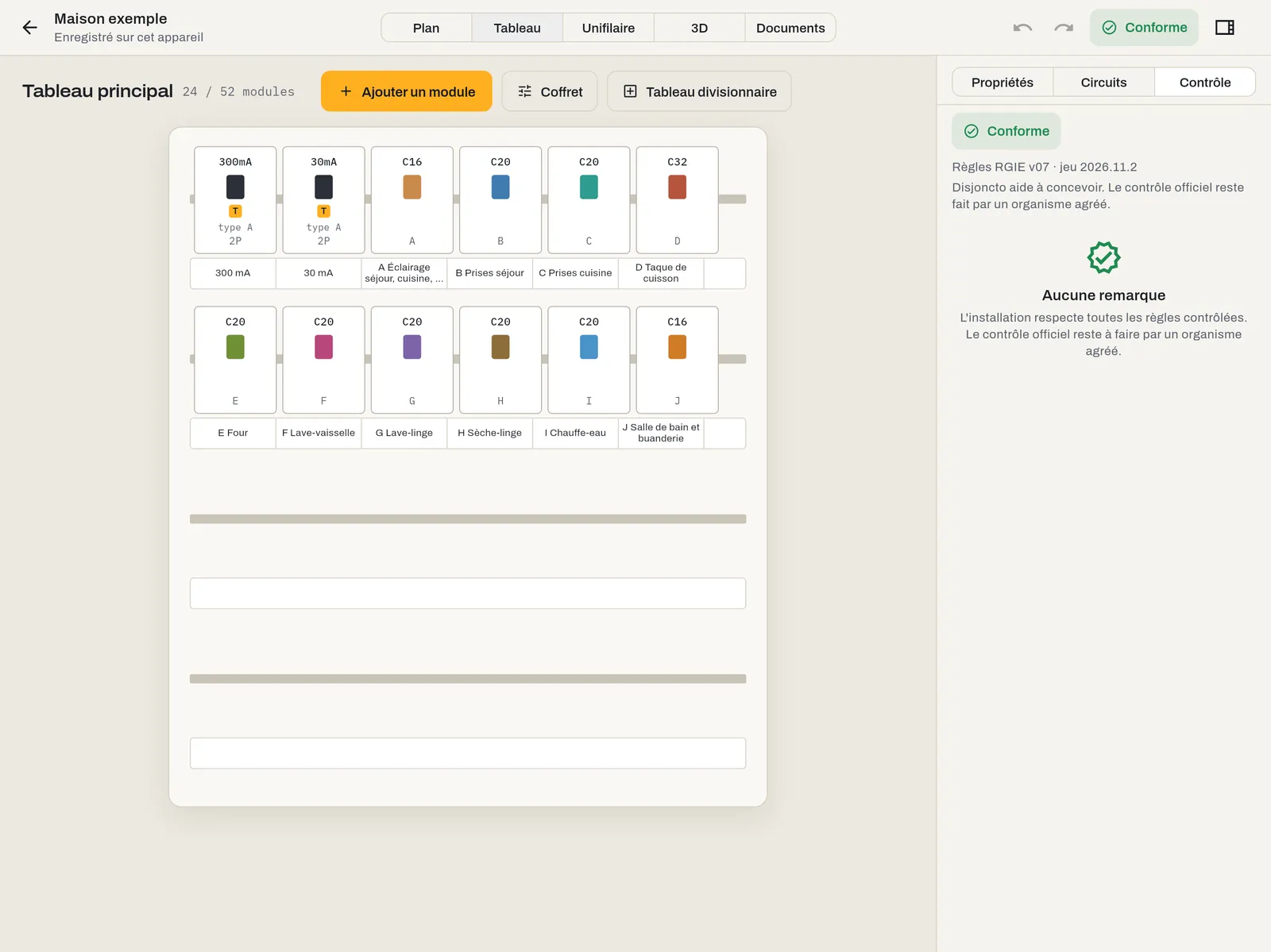
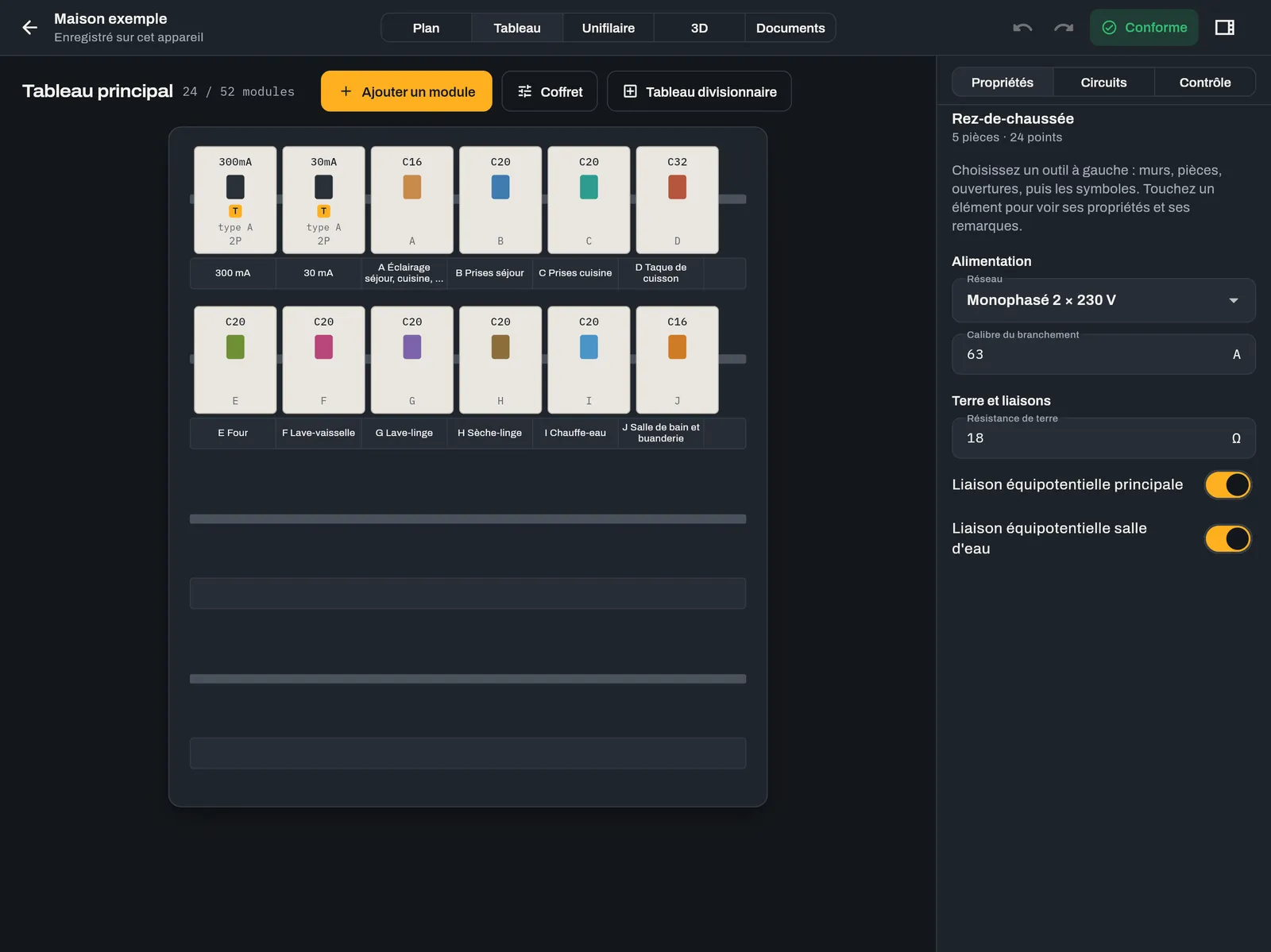
Board mode (key 2) shows the enclosure as it will be wired: rows of DIN rails, modules to scale, labels.
 Light
 Dark
Enclosure, rails and modules#
At the top: the board name and occupancy (“24 / 52 modules”). The Enclosure button sets the name, the number of rows (1 to 8) and the modules per row (12, 13, 18 or 24); modules that no longer fit are redistributed. Each module shows its rating or sensitivity at the top (for example C20, 30mA), its toggle in the circuit colour, the type for RCDs and the circuit reference. A module whose circuit has a remark is outlined in red (non-compliant) or orange (warning).
Add a module#
Add a module offers: RCD, Circuit breaker, RCBO, Surge protector, Contactor, Impulse relay, Timer, Modular socket, Meter and Spare. An added circuit breaker creates a new 2.5 mm² · 20 A socket circuit. An added RCD is set to 30 mA, type A, 40 A, downstream of the main RCD.
RCDs#
Tap an RCD to set its name, poles, rating, sensitivity (10, 30, 100, 300 or 500 mA), type (AC, A, F or B) and Downstream of: directly after the main switch, or behind another RCD. This hierarchy is the one used by the single-line diagram and the check.
- 300 mA: main RCD, required upstream of all circuits.
- 30 mA: required for wet rooms, lighting, non-dedicated sockets, the washing machine, tumble dryer, dishwasher and EV charger; 8 circuits at most per RCD.
- Types: A for the washing machine, tumble dryer, dishwasher, heat pump, air conditioner and solar inverter; B for the EV charger. A higher type is acceptable (B ⊃ F ⊃ A ⊃ AC).
The detailed requirements are in RGIE check. Deleting an RCD reattaches its circuits to the level above.
Circuit breakers#
Tap a circuit breaker to open its circuit (name, type, cross-section, rating, curve, phase, cable, length), just as from the Circuits tab. In three-phase, an L1 L2 L3 circuit switches to 4 poles and a 5-core cable.
Drag and drop#
Long-press a module (about 0.2 s), then drag: dropped on another module, it is inserted before it; dropped in the free space of a row, it goes to the end. This is how you change rows. The target position is underlined in amber. Every move can be undone.
Sub-boards#
Sub-board creates a board fed from the main board, on the displayed level. When there are several boards, a list at the top of Board mode and Single-line mode lets you choose which one to display. An RCD at the head of the parent board also protects the sub-board's circuits as far as the check is concerned. The file contains a single-line diagram, a layout and labels for each board.
Labels#
Under each row, the label strip repeats the reference and circuit name of each module, or the sensitivity of an RCD. The “Board labels” sheet of the file prints them to scale, 17.5 mm per module, ready to cut out.